
Article Generator
Looking for a fake newspaper generator? Use our free newspaper maker below to create your own newspaper in minutes. Choose a template, add your photo and your story, then print it or download it as a PDF. If you need the words too, our article generator will write them for you. Surprise your friends and have fun!
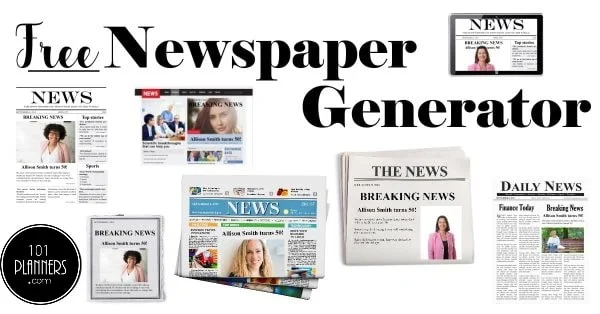
Make your own newspaper in a few minutes
This free newspaper generator turns your own words and photos into a real newspaper front page that you can print, save as a PDF or download as an image. Choose one of the newspaper templates below, type your headline and story, drop in a photo, and the layout does the rest — columns, masthead, byline, pull quote and all. There is nothing to install, no account to open and no watermark on anything you make.
If you are stuck for words, tell the newspaper maker what happened in plain language and it will write the headline and the articles for you in newspaper style. You can then edit every word by clicking straight on the page.
How to make a newspaper
- Pick a template. Classic front page, vintage, breaking news, newspaper clipping, birthday, wedding and more.
- Name your paper. Type a name or use the newspaper name generator for ideas such as The Family Times or The Bardayan Chronicle.
- Write the story. Fill in the headline, sub-headline and article, or let the tool write them from a few notes.
- Add a photo. Upload a picture and switch it to black and white or sepia so it looks like newsprint. Your photo stays on your own device.
- Print or download. Print it, save it as a PDF, or download it as an image to send to somebody.
Newspaper templates included
Every newspaper template below is free, editable and printable on A4 or US Letter paper.
| Template | Best for |
|---|---|
| Classic front page | Any occasion; the standard three-column newspaper layout |
| Old-time / vintage | An old newspaper template on aged paper, 1920s style |
| Breaking news | A breaking news template with the red banner across the top |
| Newspaper clipping | A small cut-out article, like a clipping from an old paper |
| Birthday edition | A birthday newspaper template to frame or give as a gift |
| Wedding paper | A wedding newspaper template for the ceremony or the tables |
| Valentine’s paper | The classic cupid post newspaper template for asking someone out |
| Baby announcement | A birth announcement written as a front page |
| Graduation edition | A graduation newspaper template for the big day |
| Retirement edition | A leaving gift the whole office can sign |
| Travel edition | Holiday memories written up as a travel report |
| School paper | A school newspaper template for a class project |
| Year in review | A family newspaper covering the whole year |
| Funny / prank | A joke paper with silly headlines and classified ads |
| Blank printable | A blank newspaper template with ruled lines to fill in by hand |
Blank newspaper template
Choose the blank template and print it to get a printable newspaper with empty ruled lines instead of text. Children can write their own articles in the columns, draw a picture in the photo box and fill in the weather and classifieds. It is the same blank newspaper layout teachers use for a book report, a history project or a first attempt at journalism, and it prints cleanly in black and white.
If you want plain sheets instead, there are more free printable paper designs and lined paper on the site.
Newspaper clipping generator
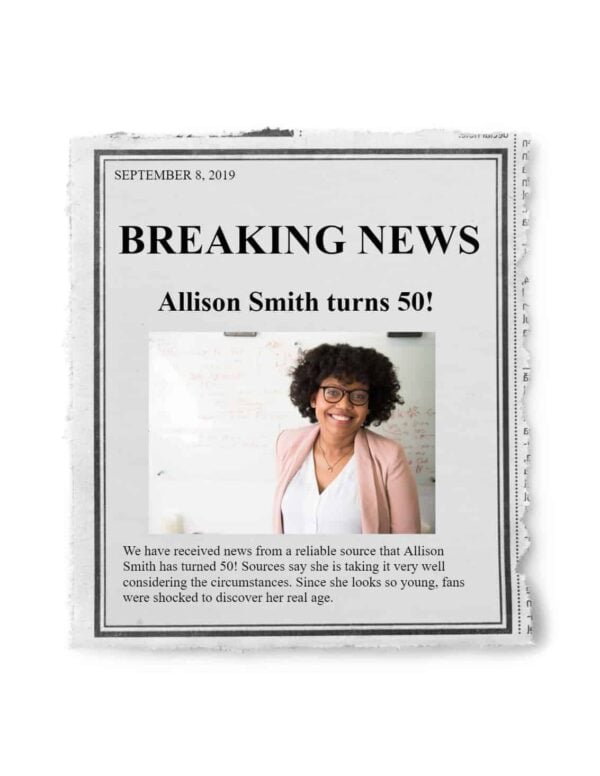
The clipping template makes a small newspaper snippet rather than a full page: masthead, date, headline and two short columns. Newspaper clippings are useful for scrapbooks, escape rooms, murder mystery games, story props and social media posts. Print the clipping, cut around the edge and, if you want it to look old, brush it with cold tea and let it dry before you use it.
Breaking news template
The breaking news generator puts a bold banner across the top of the page and drops the story underneath it. Use it for a breaking news meme, a surprise announcement, a pregnancy reveal or a running joke in the family group chat. Change the banner text to anything you like — SPECIAL EDITION, EXTRA, JUST IN — or leave it empty for a normal front page.
Old newspaper template
The vintage option prints on aged, cream-coloured paper with an elegant headline face and an old-fashioned price line such as TWO CENTS. It is the quickest way to make an old-style newspaper for a history lesson, a themed party, a family tree project or a film prop. For a convincing old newspaper, keep the headline formal, write in longer sentences and switch the photo to black and white or sepia.
Birthday newspaper template
A birthday newspaper makes a lovely, cheap gift: the birthday person on the front page, a story about their year, a quiz called How well do you know the birthday star, a joke weather forecast and a classified ads box. Print it on nice paper, slide it into a frame, and it costs almost nothing. It works for a 1st birthday, a 40th, a 50th or a 100th — only the wording changes. Pair it with the birthday party checklist if you are planning the rest of the day too.
Wedding newspaper template
A wedding newspaper can be the ceremony programme, a table favour or a memento for the guests. The template covers how the couple met, the order of the day, a quiz about the pair and a thank-you notice. Print one for each table setting, or make a single large copy for guests to sign instead of a guest book. The site also has a wedding timeline generator and wedding place cards that match the same day.
Valentine’s newspaper template
The Valentine’s template — sometimes called the cupid post newspaper template — asks the question on the front page: will you be my valentine? There is a personal column, a tick-box answer section and space for the reasons. Print it, fold it and leave it where they will find it with their coffee. If you want more to do on the day, there is Valentine’s Day bingo and a Valentine’s Day countdown.
Baby, graduation and retirement editions
Three more occasions that suit a front page. The baby template announces the arrival with the weight, the time and a photo, and makes a keepsake for the nursery wall. The graduation template writes up years of work as a news story, with tributes from teachers and a timeline of the journey. The retirement template is a farewell edition that colleagues can sign, and it pairs neatly with a retirement countdown.
School newspaper template
For a class project, the school template gives students a real newspaper article template to work into: headline, sub-headline, byline, lead paragraph, columns, a sports report, a photo with a caption and a notice board. Print the blank version so each student writes their own front page by hand, or let them type into the tool and print the finished page. It covers the usual assignment briefs — a newspaper report on a book, a historical event, a science discovery or a school trip.
Family newspaper and year in review
A family newspaper is a gentler way to keep memories than a scrapbook, because it forces you to pick the stories that mattered. The year in review template has space for the top stories of the year, the people of the year, places visited, lessons learned and next year’s headlines. Make one every December and keep them in a folder; after five years it is a family history. If you would rather write it day by day, there are journal ideas and journal templates to use alongside it.
Fake news generator: use it for fun, not to mislead
Most people looking for a fake news generator want a joke for a friend, a prop for a story or a surprise announcement, and the funny template is built for exactly that. Please keep it that way. Do not put real journalists’ names, real mastheads or real events on a fake newspaper, do not use it to spread anything that could be believed as real news, and add a line such as “This paper is a joke” anywhere it might be taken seriously. Deliberately passing off invented news as real can be harmful and, in some places, illegal.
Newspaper name generator and headline generator
Two small tools are built into the page. The newspaper name generator combines a prefix and a title — The Daily Chronicle, The Evening Herald, The Sunday Gazette — and will fold in a surname if you mention one, so a family paper can become The Bardayan Times. The headline generator suggests headlines in newspaper title case and adjusts them to the tone you pick, from straight reporting to silly. Click any suggestion to drop it into your page.
Parts of a newspaper front page
If you are building a newspaper layout by hand, or marking one, these are the parts and the names to use for them.
- Masthead (or nameplate): the paper’s name in large type across the top.
- Tagline (or slogan): the short line under the name.
- Folio line: the volume, issue number, price and city that run above or below the masthead.
- Dateline: the date the edition was published.
- Headline: the main story title, written in title case and the present tense.
- Deck (or sub-headline): a second, smaller line that adds detail.
- Byline: the name of the reporter who wrote the story.
- Lead (or lede): the opening paragraph that answers who, what, when, where and why.
- Columns: the narrow blocks of justified text a newspaper reads in.
- Drop cap: the oversized first letter that starts the lead article.
- Pull quote: a short quotation set large between rules to break up the grey.
- Cutline (or caption): the line of text under a photograph.
- Sidebar: a boxed extra beside the story — the weather, a timeline, a quiz.
- Classifieds: the small advertisements, usually near the bottom.
Newspaper examples to learn from
Every template on this page doubles as a newspaper example, because each one is filled in with a finished front page before you change a word. Load the classic template to see a standard three-column newspaper format, the vintage one for an older newspaper example with formal language, and the clipping for what a short newspaper article looks like on its own. Read them, then replace the words with yours — that is usually faster than starting from an empty page.
How to write a newspaper article
Newspaper writing follows a shape called the inverted pyramid: the most important information goes first, and the detail gets less essential as the article goes on. That way an editor can cut the last paragraph without losing anything vital.
- Answer the five Ws in the first paragraph: who, what, when, where and why.
- Keep paragraphs short. Two or three sentences each, because narrow columns make long paragraphs look like a wall.
- Write the headline in title case and keep it under about ten words.
- Use a quotation. One line from somebody involved makes any story feel real.
- Stay in the third person. Newspapers report on people, they do not talk about themselves.
- Write the caption last and say what is happening in the photograph, not what it looks like.
How to make a newspaper in Google Docs
If you have to hand the file in as a document, you can build a simple newspaper format in Google Docs. Open a new document, then set it up like this.
- Go to File > Page setup and set the margins to about 1.25 cm so the columns have room.
- Type your paper’s name on the first line, centre it, and make it large and bold — that is your masthead.
- Add a one-line row underneath with the city, the date and the edition, then insert a horizontal line.
- Type the headline, centre it, and set it two or three sizes larger than the body text.
- Select everything below the headline and choose Format > Columns, then pick two or three columns.
- Insert your photograph, set wrap text, and type a small italic caption under it.
- Use File > Download > PDF to print it exactly as it looks on screen.
The same steps work in Word (Layout > Columns) and in Google Slides or Canva if you would rather drag text boxes around. It is slower than using the generator above, but the file stays editable in the format your school or office asked for.
Printing your newspaper
Choose A4 or US Letter in the design section before you print, so nothing is cut off at the edges. Use Print, then pick Save as PDF in the print dialogue if you want a file rather than paper. For a keepsake, print on cream or slightly textured paper; for a prop, print on the thinnest paper you have, because real newsprint is almost see-through. The Download image button saves the page as a PNG, which is the one to use for a text message, a social post or a photo frame.
Twenty things to make with it
- A birthday gift for someone who has everything
- A pregnancy or engagement announcement
- A retirement leaving card the whole office signs
- A wedding programme or table favour
- A newspaper clipping prop for an escape room or murder mystery
- A school history project set in another century
- A class newspaper written by students
- A family year in review for the holidays
- A travel diary written up as dispatches
- A pet’s birthday front page, because why not
- An April Fools’ prank left on the kitchen table
- A church, club or team newsletter
- A scrapbook page or junk journal insert
- A new job or promotion announcement
- A thank-you page for a teacher at the end of term
- A sports report for a school match
- A fundraising announcement for a charity event
- A bedroom wall print for a child who loves writing
- A story prop for a novel or a film
- A grandparent interview written up as a feature
Free Newspaper Template
Use our free newspaper designer to create fun fake newspapers
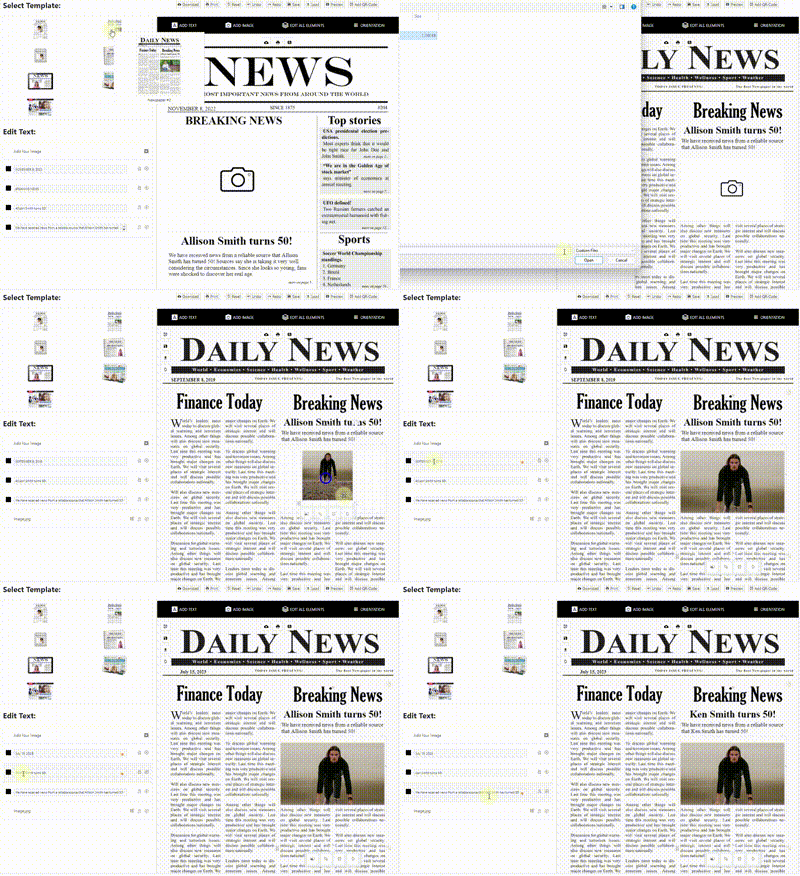
There are seven different newspaper design layouts available and they are all free.
- Click on the button above.
- Select any free newspaper template.
- Edit the text.
- Upload an image.
- Download and print.
AI Fake News Article Generator
Use our free article generator to write the perfect article
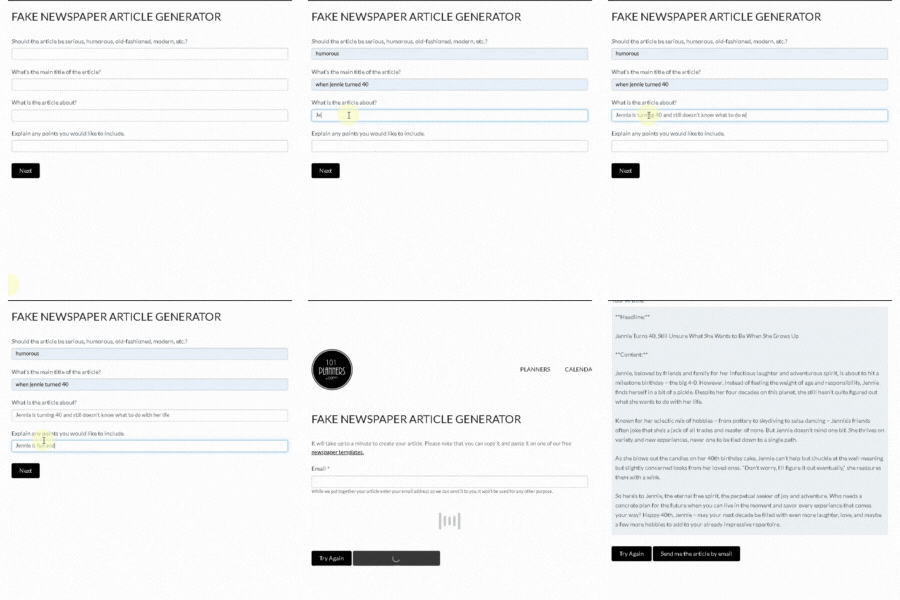
How to Use the Fake News Generator
To craft a fake news article based on your input.
- Scroll down to the article generator below.
- Tell it what happened and answer a few questions.
- Press Write my article and your article will be ready in seconds.
Please note that disseminating fake news with the intent to mislead can be harmful, unethical, and even illegal in some jurisdictions. Always use these templates responsibly and ethically, and be transparent about the fictional nature of any generated content.
Sample Newspaper Templates Available
The templates below open in our newspaper designer, where you drag, restyle and position everything yourself on a fixed layout. If you would rather answer a few questions and have the front page built for you, use the newspaper creator at the top of this page — it writes the articles, lays out the columns and prints or downloads in one go.
Front Page Template
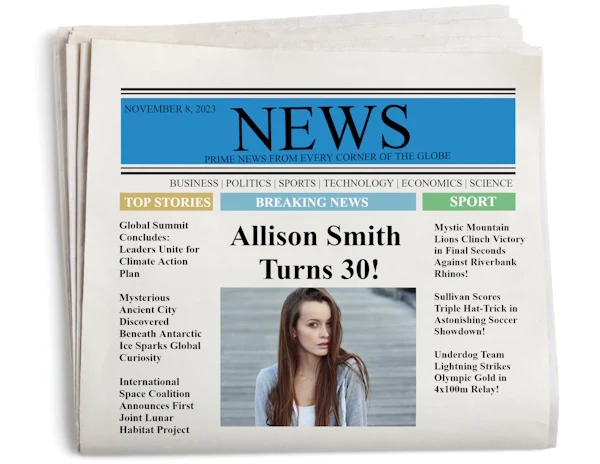
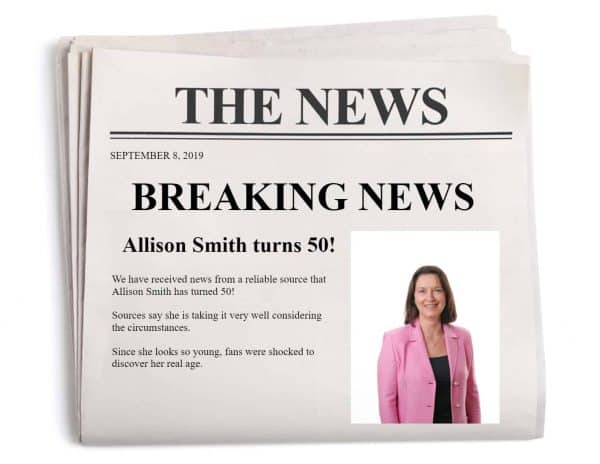
This birthday newspaper makes a great DIY birthday gift. The text is editable so you can change the headline for an anniversary or any other event.
Breaking News Generator

Fake News Generator
The fake newspaper maker will help you create a fake newspaper in only a few minutes and without any software!

Newspaper clipping generator
Fake headline generator
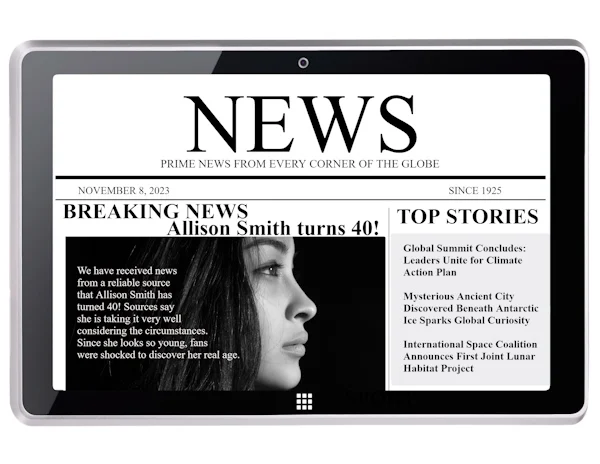
Use this template to create a newspaper online.

FAQ
No. The text can be edited and it can be used for any purpose. Use it for an anniversary, to note a special achievement, for any birthday, or for any other reason.
Yes.
No.
In the newspaper creator at the top of this page, click any line on the newspaper itself and type over it, or fill in the boxes in the panel underneath.
In the designer, the text boxes are listed to the left of the canvas. Type the text you would like to appear and change the headline, the short story and the title. You can also add text if there is space on the template.
Feel free to change the font, font size, and font color.
In the designer, not all of the text on a template is editable, but everything in the text boxes to the left of the canvas can be changed. In the creator at the top of this page, every word can be edited.
On some of the templates, you can also change the newspaper name.
Scroll down to the fake news article maker and add details. The AI newspaper generator will write an article for you.
Yes. Upload any picture and choose black and white, sepia or full colour. Your photo is processed in your own browser and is never uploaded to this site.
If you would like us to add additional blank newspaper templates, then please leave a comment below.
Use the generator on this page. It is free, there is no account to create, no watermark on your newspaper and no limit on how many you make.
Pick a newspaper template, type your headline and article, add a photo, then print the page or download it. The whole thing takes about five minutes, and you can edit any text by clicking directly on the newspaper.
A front page has the paper’s name in large type at the top, a line with the city and date, one big headline with a smaller sub-headline, a byline, two or three columns of justified text, a photograph with a caption, and boxed extras such as the weather or the classified ads.
Type the paper’s name in large bold text at the top, add a line with the date, then select the text below your headline and choose Format > Columns to split it into two or three columns. Insert a photo, add a small italic caption, and download it as a PDF.
Choose the newspaper clipping template, keep the article to two or three short paragraphs, then print it and cut around the edge. For an aged look, brush the paper with cold tea and let it dry flat.
Choose the vintage template, which uses aged paper and an old-fashioned headline face. Set the photo to black and white or sepia, use a formal, wordy writing style and give the paper an old price such as two cents.
No. Everything you make is yours to print, frame or share with nothing added to it.
Choose A4 or US Letter in the design settings, then press Print or save as PDF. In the print dialogue choose Save as PDF if you want a file instead of paper.
Yes, and the funny template is made for it. Keep it obviously a joke, never use a real newspaper’s name or a real reporter’s name, and do not publish anything that could be mistaken for real news.
Yes. Save your draft in the last section and open it again on the same device and browser, or copy the share link, which reopens the newspaper on any device.
Yes. Students can type their articles into the school template, or you can print the blank newspaper template and have them write the front page by hand.
 My name is